Free · Local-first · Windows x64 · v0.12.0

Six editors. One window. Your own AI.

A complete office suite that runs on your machine: Word, Excel, PowerPoint, PDF, Markdown and HTML — with an AI panel that edits the document itself, using the model and the key you choose.

No account, no subscription, no telemetry. Files open and save in their native formats.

Native formats DOCXXLSXPPTXPDFMDHTML
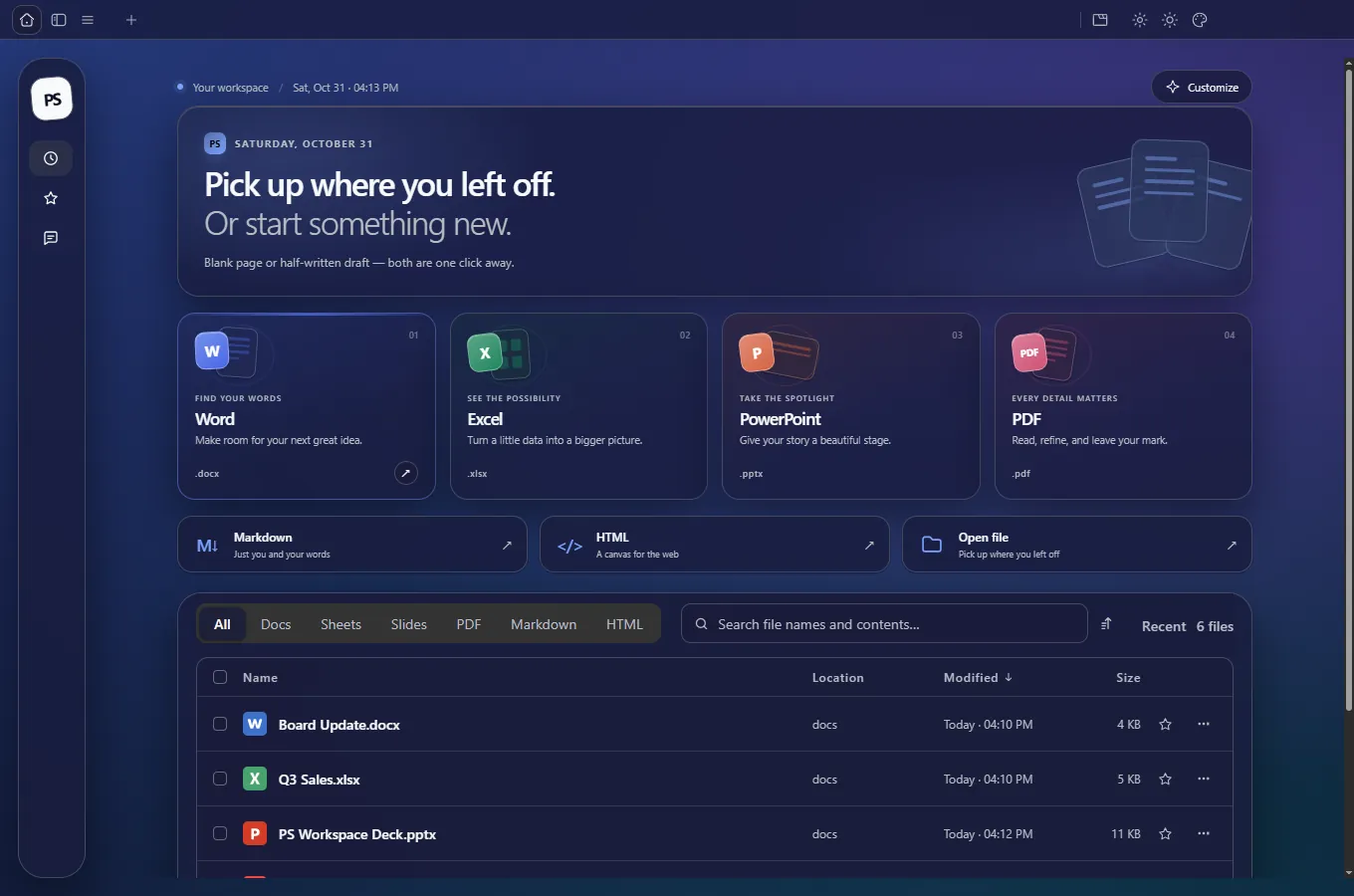
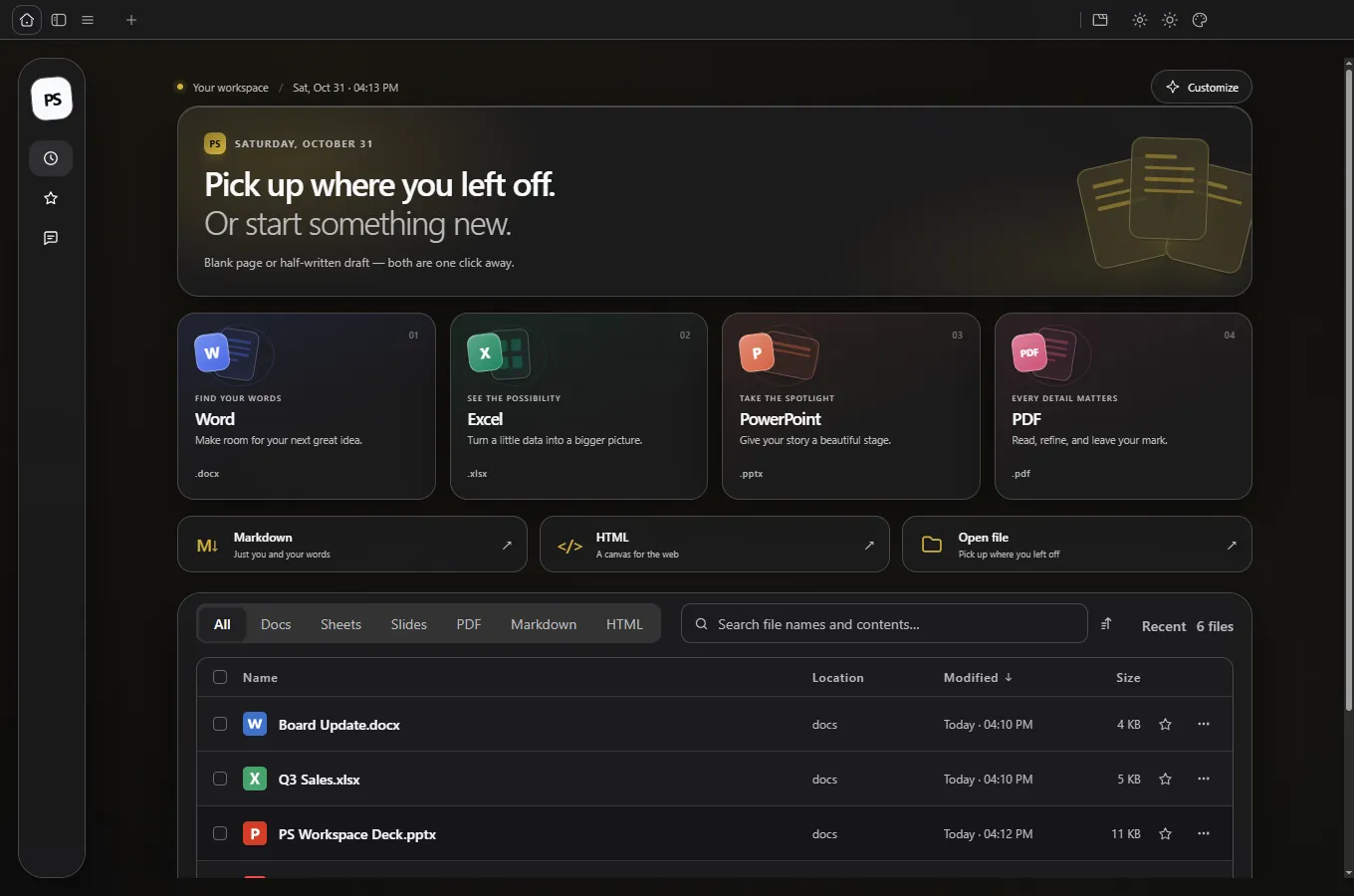
PS Workspace home screen in the Sonus gold-on-black theme, showing format cards and the recent file list Real screenshot, v0.12.0 120 themes · 17+ AI providers
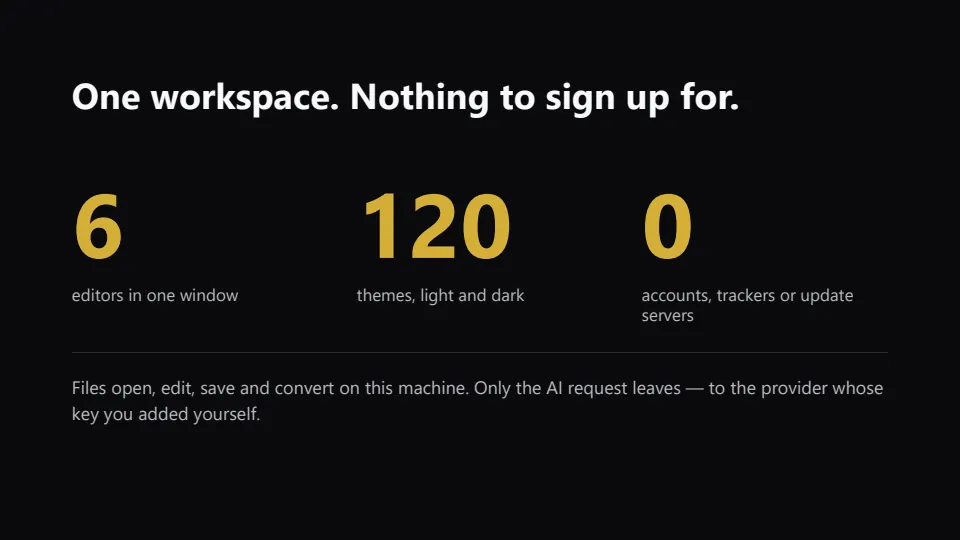
6Editors in one window
120Themes, light and dark
17+AI providers plus custom
0Accounts or trackers
The six editors

One workspace for everything you write, compute and present

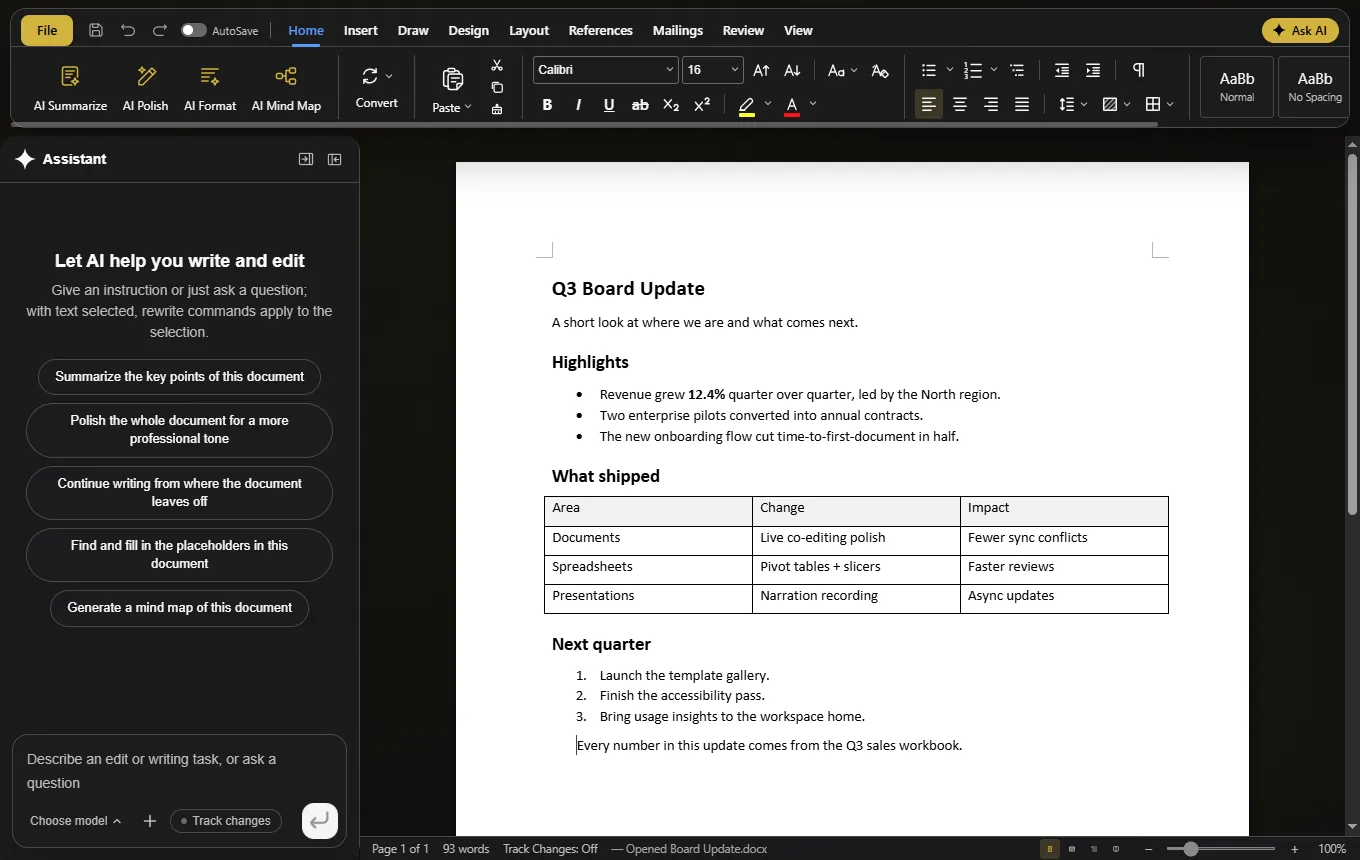
Six real editors share one AI panel, one local search index and one theme system. No conversion layer, no cloud round-trip — every screenshot below is the shipped Windows build.

PS Workspace Docs editor with a .docx page and the document assistant open beside it

Docs .DOCX

Word editor, not a preview

Word documents open with their real layout — columns, headers, footnotes, shaded tables, floating images and pagination on Word's own line metrics.

  • Byte-preserving OOXML: styles, equations, ink, content controls
  • Tracked changes and comments with accept / reject
  • Mail merge with .xlsx or .csv and real MERGEFIELDs
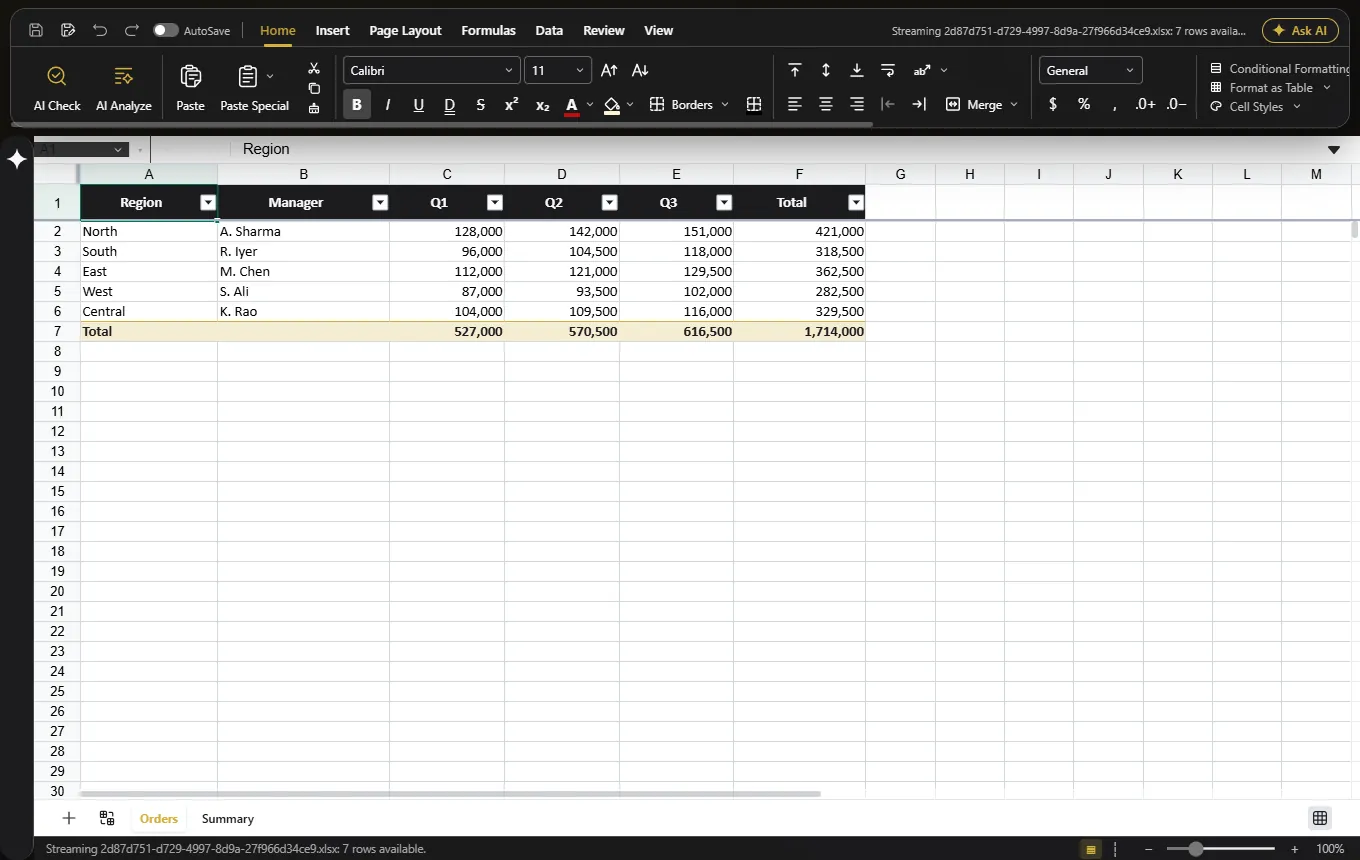
PS Workspace Sheets showing a Q3 sales workbook with live SUM totals and a frozen header row

Sheets .XLSX

Native Rust workbook engine

Values, formulas, formats, pivots and charts survive a save because nothing is flattened into a picture. A cell stays a formula.

  • Live recalculation, freeze panes, AutoFilter, number formats
  • Pivot tables, slicers, conditional formatting, formula tracing
  • Nine chart types and pictures stored inside cells
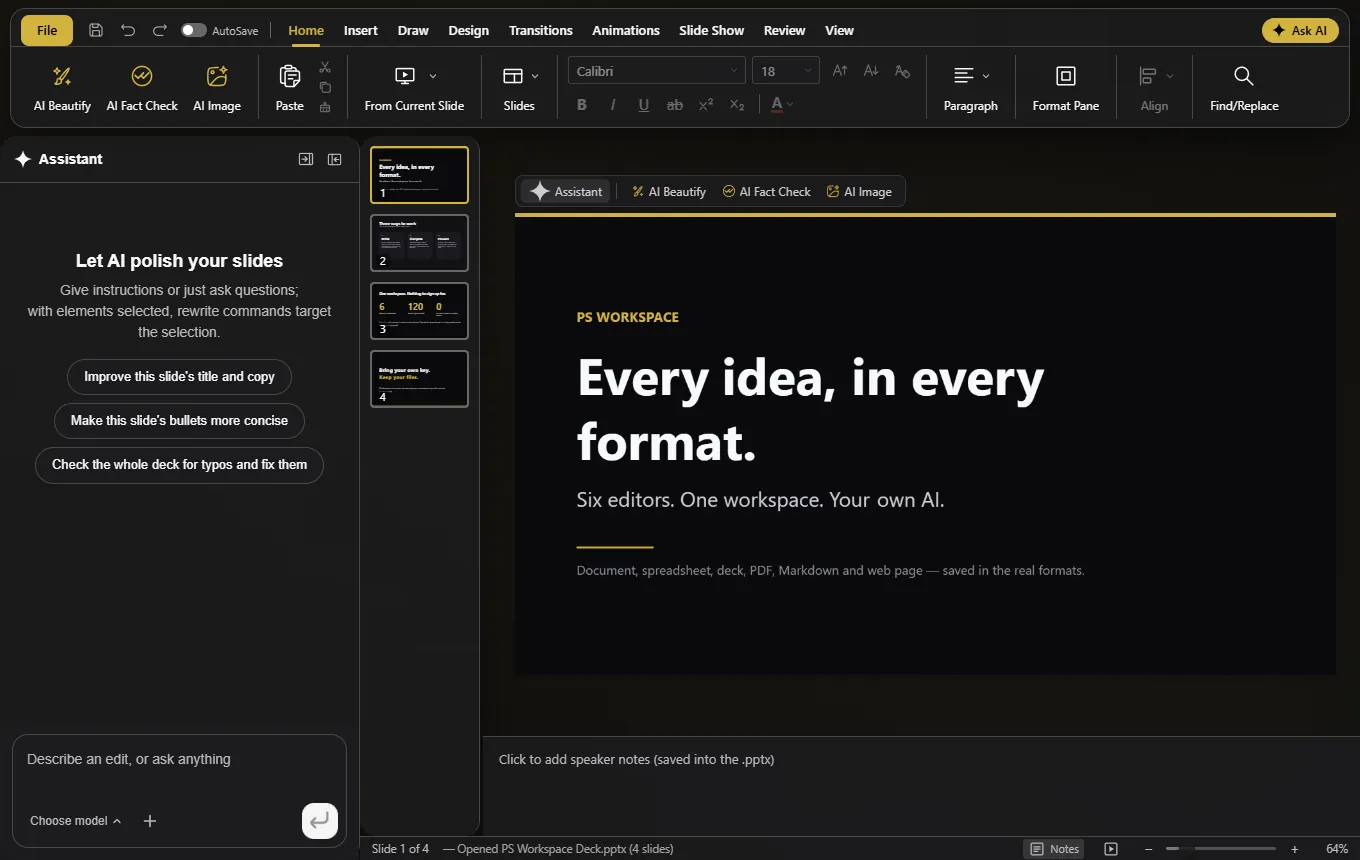
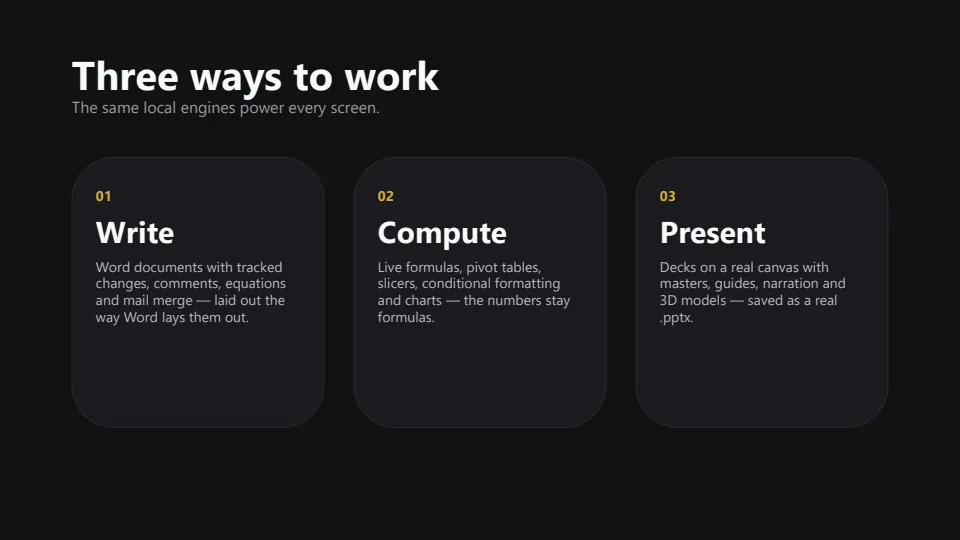
PS Workspace Slides editor with a deck cover slide, thumbnail strip and speaker notes

Slides .PPTX

A canvas that saves as PowerPoint

Design on a real slide canvas with masters, layouts, guides and non-destructive cropping — then hand PowerPoint a file it recognises.

  • Record narration with timings saved into the .pptx
  • Insert a .glb model and keep it 3D after saving
  • AI deck from one sentence, plus Beautify and Fact Check
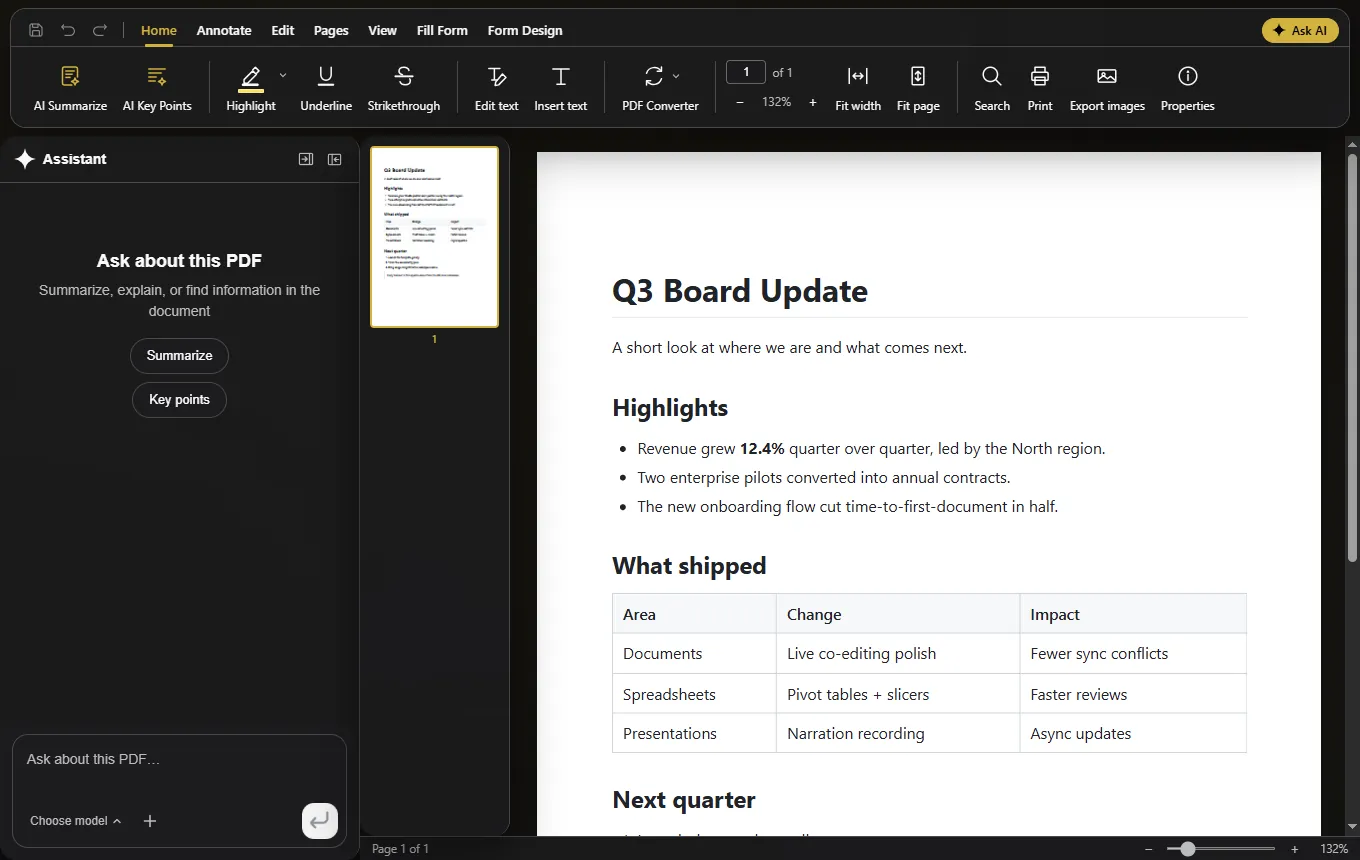
PS Workspace PDF editor showing a document page with thumbnails and the assistant panel

PDF .PDF

Edit the page, not a sticker over it

PDFium rewrites the content stream with the original fonts, so text you retype really is the page's text.

  • Highlights, underline, strikethrough, notes and form fields
  • System OCR turns a scan into searchable text
  • PDF to Word, Excel or PowerPoint on this device
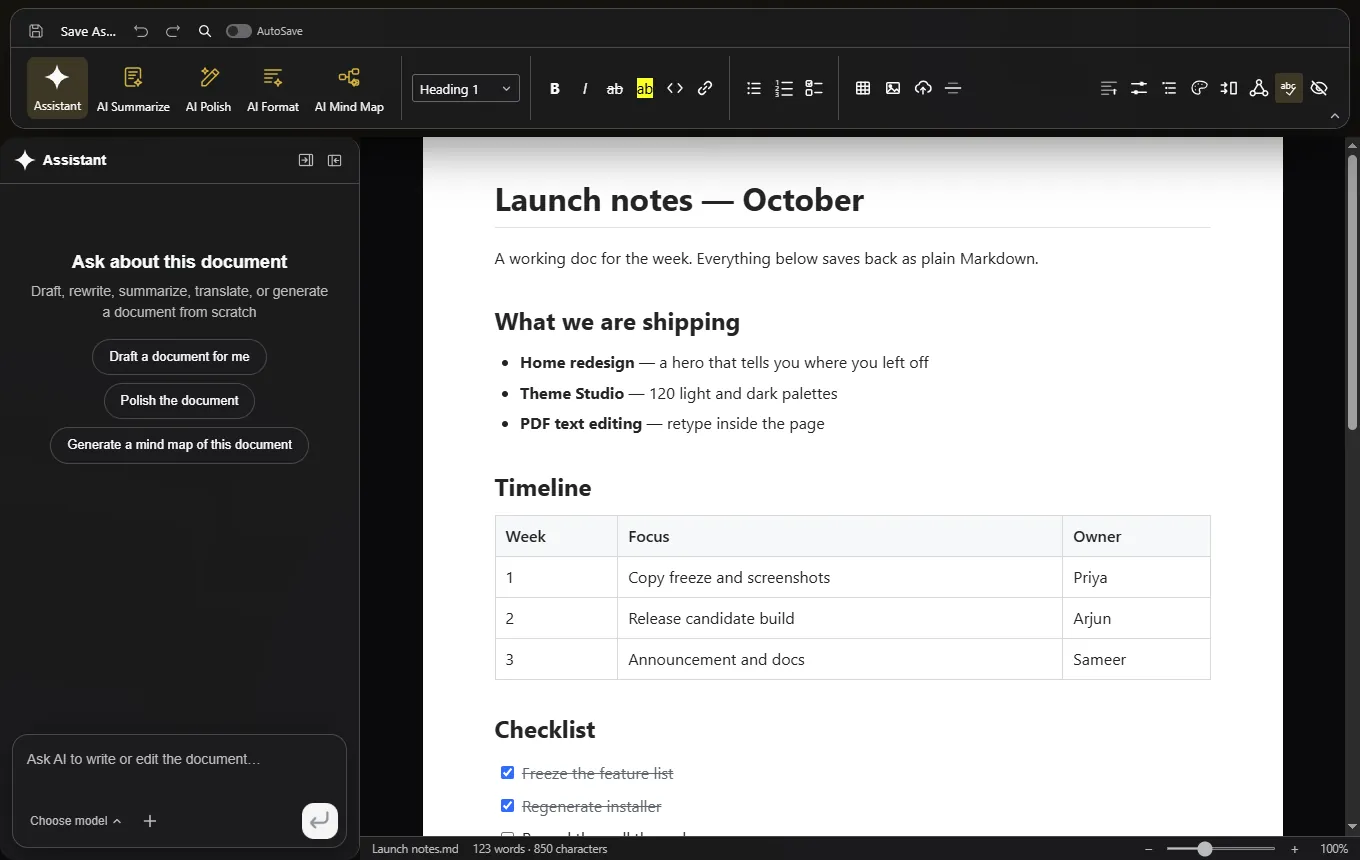
PS Workspace Markdown editor showing launch notes with a table and the assistant

Markdown .MD

Plain files, no markup tax

A Tiptap block editor that writes straight back to plain .md — headings, lists, tables, code, Mermaid diagrams and KaTeX math.

  • [[Wiki links]], ![[embeds]], backlinks panel and graph view
  • Ask AI on a selection, with queued anchored edits
  • Local Markdown to Word export
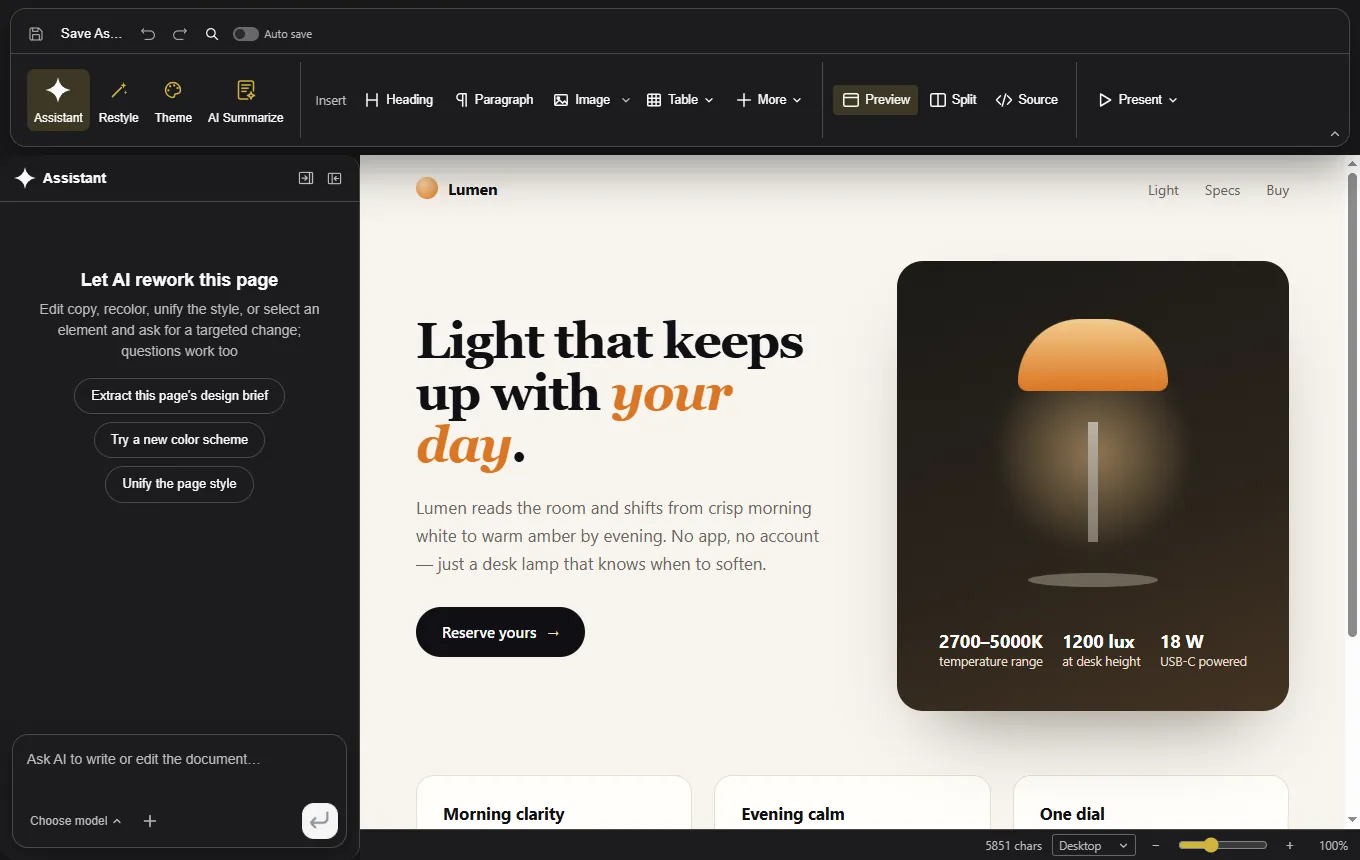
PS Workspace HTML builder with a generated page preview, design brief panel and source view

HTML .HTML

AI page builder, brief first

Describe the page and the audience; the AI proposes a design brief — hook, palette, typography — then builds one self-contained file.

  • Live preview, split view and CodeMirror source
  • Click to select an element, double-click to edit text
  • Restyle by tokens; export to PDF or editable Word
The workspace

A home that knows where you left off

Recent files, every editor and the search index live on one calm screen. No dashboard, no sign-in, no news feed — and nothing to configure.

  • The four main formats are one click from a blank page, with dedicated Markdown and HTML cards
  • Recents: filter by format, sort by last opened, star a file, rename or reveal from its menu
  • Local full-text search over file names and extracted text in SQLite, CJK-aware
  • Every document opens in its own tab; the left rail keeps Home one click away
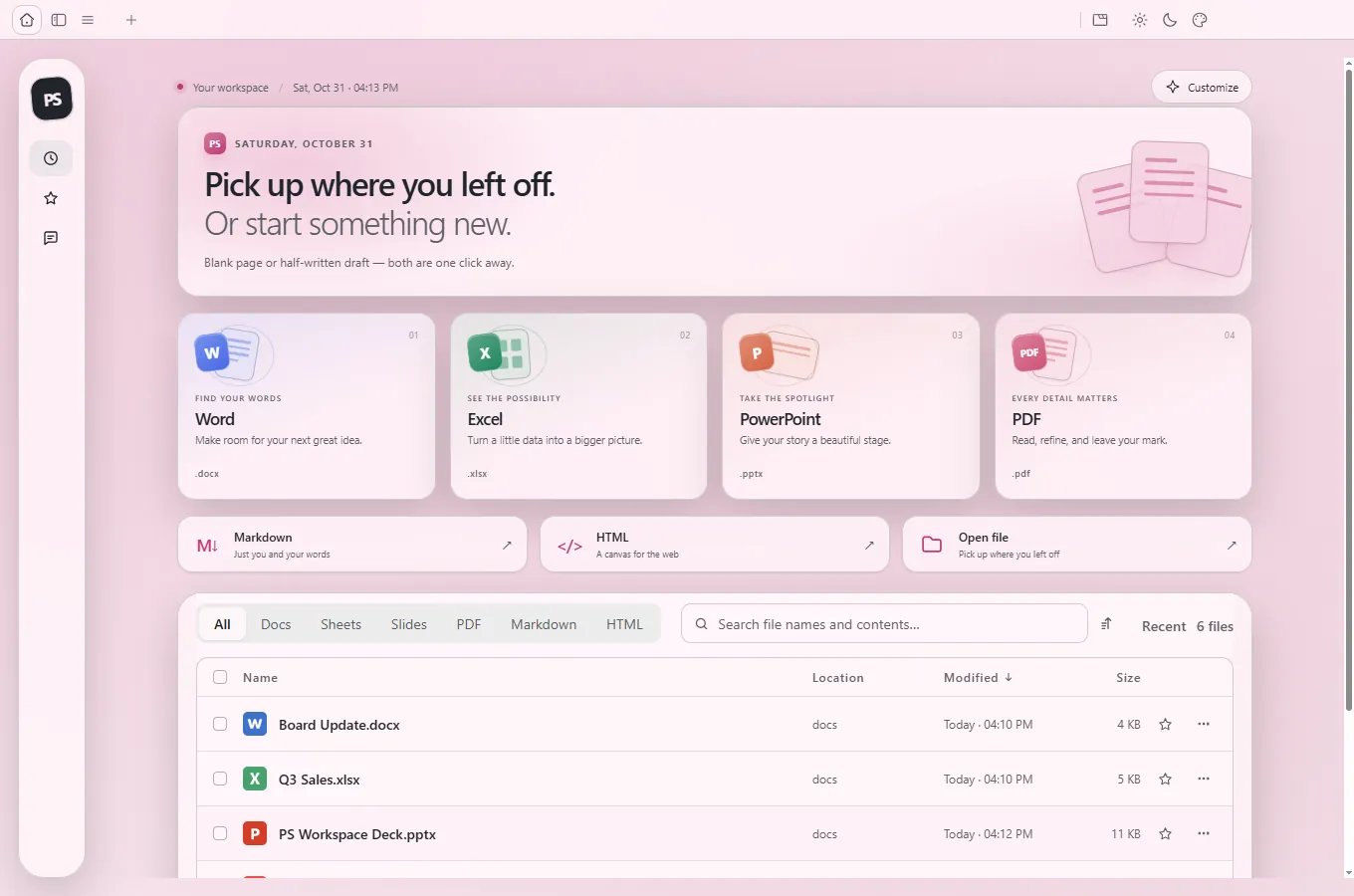
PS Workspace home screen in the default theme with hero band, format cards and recent files
Home, default theme — hero band, format cards and the recent-file list.
Every feature, in one place

The complete checklist

Everything below is part of the same install — no add-ons, no account tier, and no feature that quietly requires a server.

Write

  • Word-faithful .docx layout and pagination
  • Styles, comments, tracked changes, equations, ink
  • Mail merge with .xlsx / .csv and real MERGEFIELDs
  • AI edits land as tracked changes, with rollback
  • Interactive mind map with block citations

Compute

  • Native Rust .xlsx engine with live formulas
  • Pivot tables, slicers, conditional formatting
  • Column, bar, line, area, pie, doughnut, scatter, radar, combo charts
  • Formula tracing and clickable cell citations
  • In-cell pictures and CSV / TSV import

Present

  • Native .pptx with masters and layouts
  • Transitions, animations, speaker notes
  • Narrated recording with saved timings
  • Real 3D models stored as 3D
  • AI deck generation, Beautify, Fact Check, AI Image

PDF

  • In-place text editing through PDFium
  • Highlight, underline, strikethrough, notes, forms
  • System OCR for scanned pages
  • PDF to Word, Excel and PowerPoint on-device
  • Page citations from the AI assistant

Markdown

  • Plain .md in, plain .md out
  • Tables, code, Mermaid diagrams, KaTeX math
  • Wiki links, embeds, backlinks, graph view
  • Ask AI on a selection, queued anchored edits
  • Local Markdown to Word export

HTML

  • AI design brief before a single line is built
  • Single self-contained .html output
  • Live preview, split view, CodeMirror source
  • Restyle by tokens; copy and sections stay
  • Fullscreen present, PDF and Word export

AI

  • 17 providers plus any OpenAI-compatible endpoint
  • Keys sealed in the OS credential vault
  • Snapshots and one-click rollback every turn
  • Skills, image input, media generation and search
  • Ask AI across starred files, with sources

Workspace

  • Animated home, recent files, starred files
  • Local SQLite full-text search, CJK-aware
  • 120 light and dark themes in Theme Studio
  • CLI, 29-tool MCP server and agent skill
  • No account, telemetry, analytics or update server
Bring your own key

Your model. Your key. Your document.

No account, no vendor proxy, no shared key. Every request goes directly from this machine to the provider you configured — and the app works fully without ever sending one.

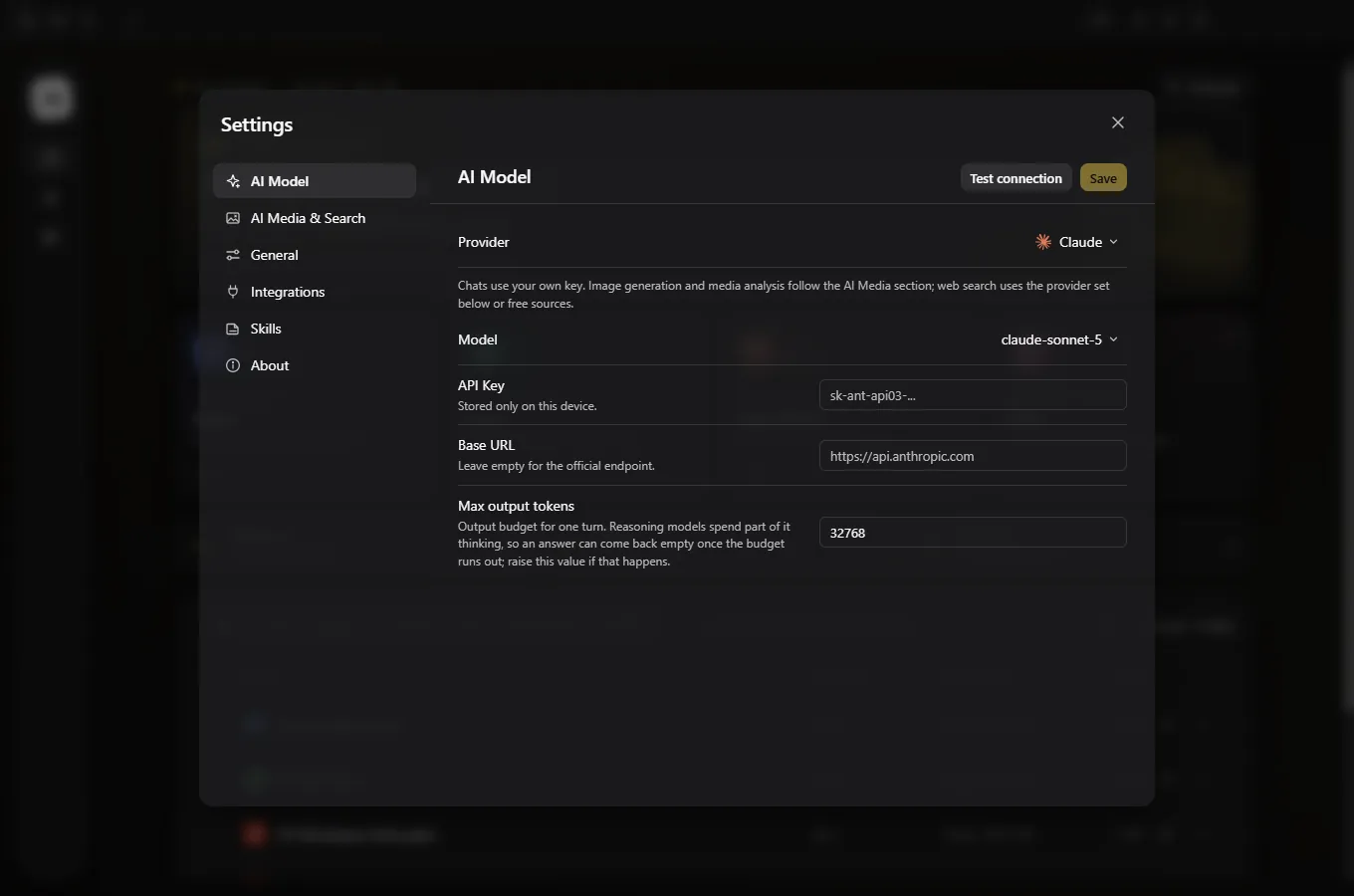
Settings AI Model pane with provider, model, API key, base URL and output budget fields
Settings → AI Model. Provider, model, key, base URL and output budget — stored on this device.

17 providers, one custom slot

Pick a model, paste a key, and the same panel works in all six editors. It reads the open document's blocks — not a screenshot — so edits can land as tracked changes you can roll back.

  • Keys sealed with the OS credential vault (DPAPI), redacted in the UI, never written to logs
  • Test the connection without leaving the pane
  • Star files, then ask a question in plain language — every claim is cited and clickable
  • Image generation, media analysis and web search are separate opt-in providers
ClaudeOpenAIGeminiDeepSeekKimiGLMQwenDoubaoMiniMaxGrokMistralOpenRouterRequestyOpperCheaper InferenceAtlas CloudOpenCode Zen/Go+ any OpenAI-compatible endpoint
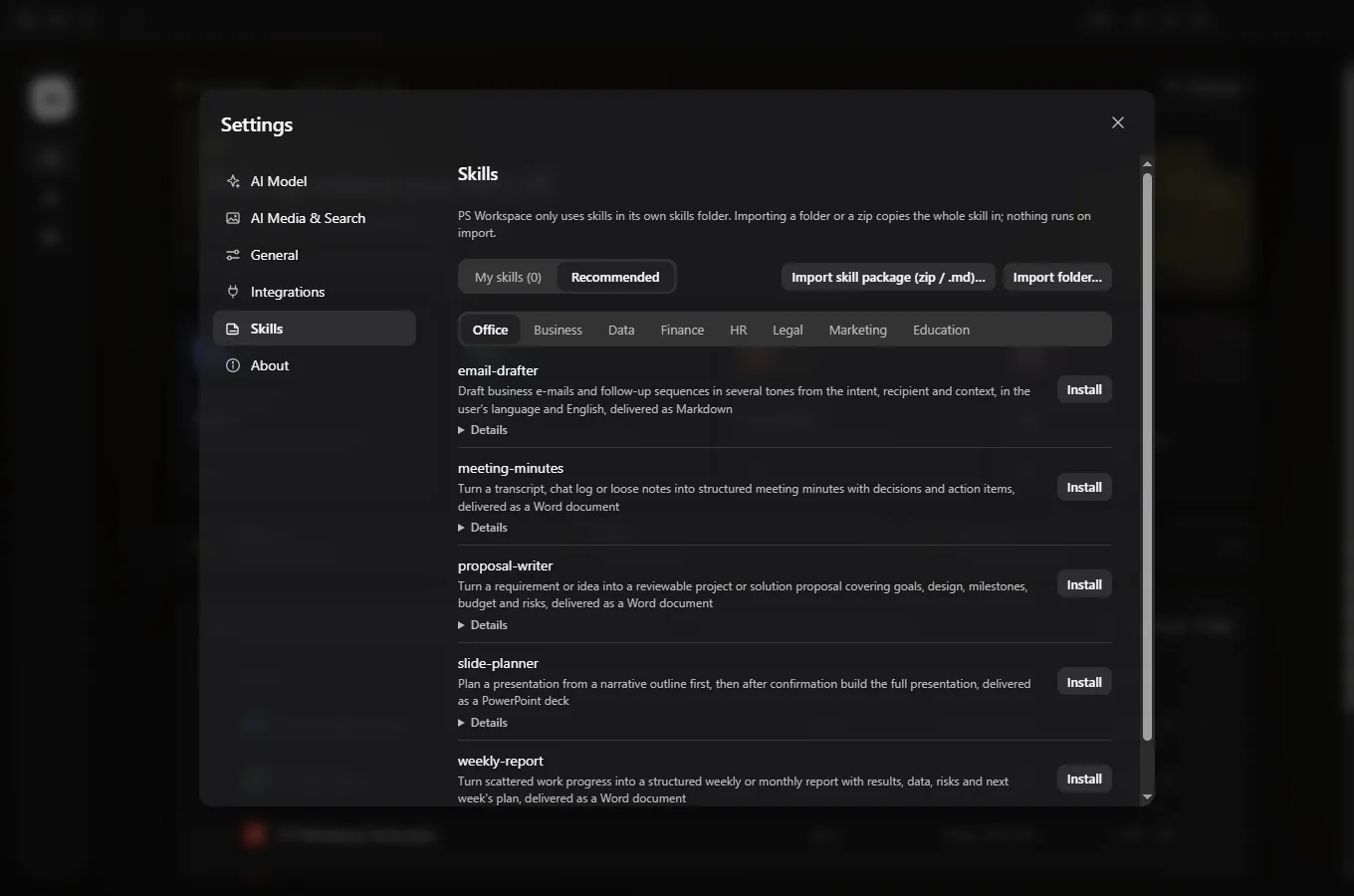
Settings Skills pane with recommended and custom skill entries
Settings → Skills. Ready-made jobs, or import your own SKILL.md.

Skills for real jobs

Install a recommended SKILL.md — weekly report, NDA, lesson plan, meeting minutes — or import your own. Nothing runs until you send it, and the result lands in the editor you are already looking at.

  • Ask AI rewrites the selected blocks, not the whole file
  • With Track changes on, AI edits arrive as revisions
  • Every turn is a snapshot with one-click rollback
DPAPI-sealed keysSnapshotsAnchored edits
Appearance

120 looks. One workspace.

Theme Studio changes the chrome, never the document. Exports and prints always keep the file's own colours, and the page stays opaque paper so text never depends on the theme.

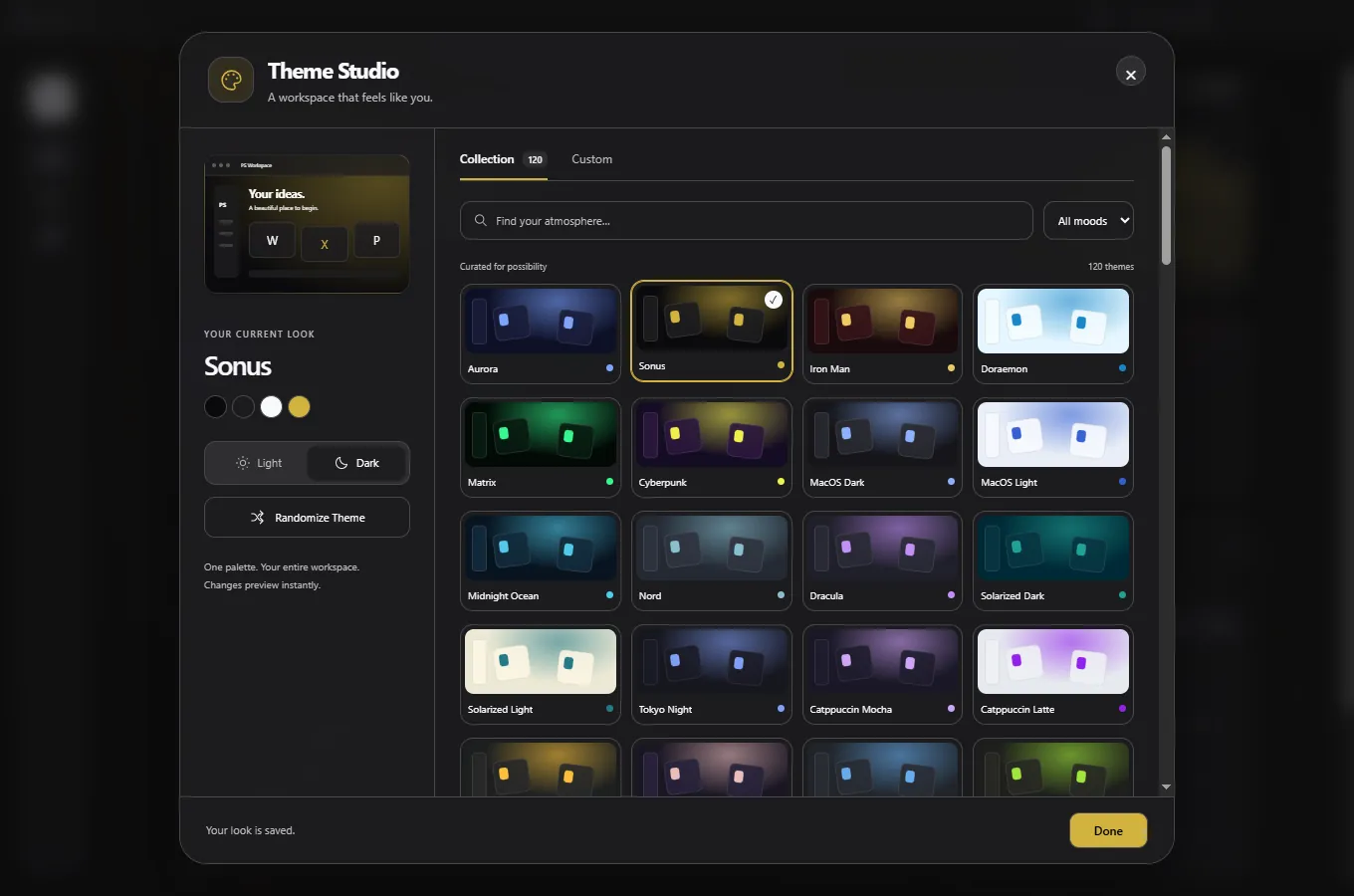
Theme Studio showing a grid of 120 searchable light and dark palettes
Theme Studio — 120 curated light and dark palettes, searchable and filterable by mood.

Live preview, no commitment

Pick a palette and the whole workspace previews instantly. Randomise for a fresh direction, switch between light, dark and system, or filter by mood. The same theme carries through home, ribbons, panels and all six editors.

  • Glass surfaces float over a slow aurora backdrop, with guardrails
  • Floating menus stay opaque and readable above the page
  • Colours saved inside a file are never altered by a workspace theme
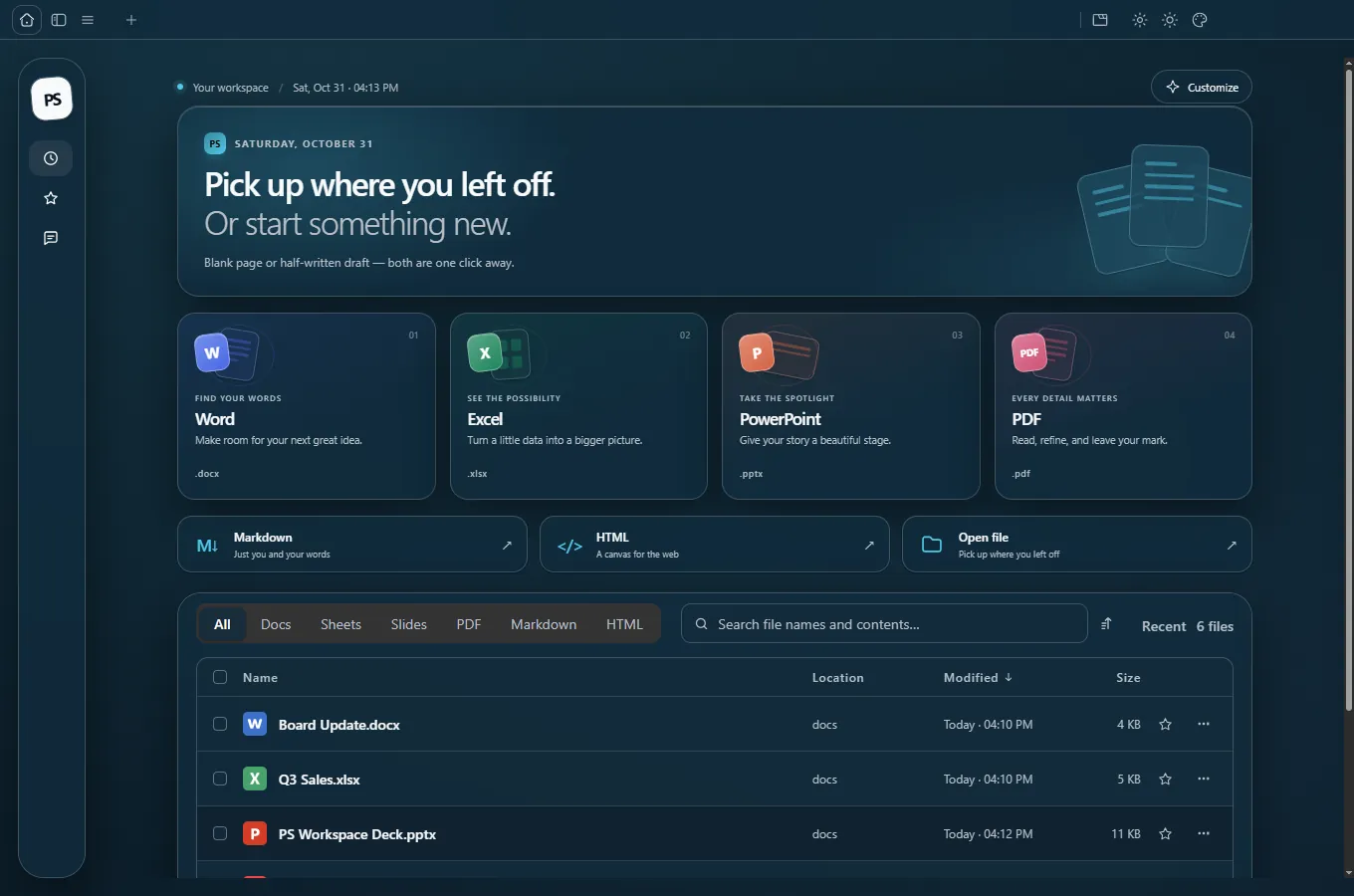
Home in the Sonus dark theme with gold accents
Sonus · dark · gold
Home in the Sakura light theme with blush tones
Sakura · light · blush
Home in the Midnight Ocean theme with teal accents
Midnight Ocean · dark · teal
Automation

Tell your agent. Get real files.

The same engines are available headless: a CLI, an agent skill and an MCP server — so coding agents produce .docx, .xlsx, .pptx and .pdf instead of Markdown approximations.

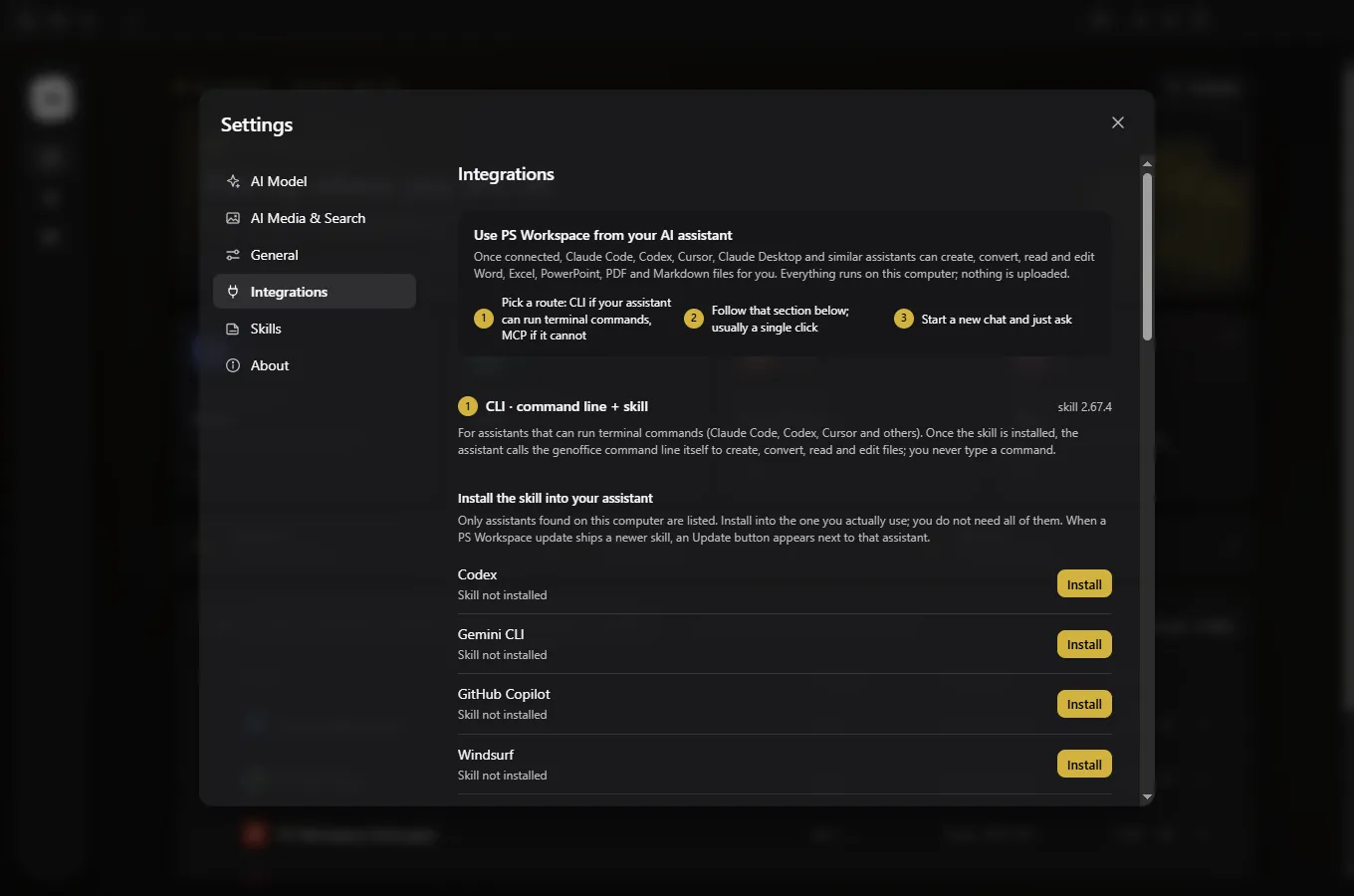
Settings Integrations pane with one-click agent skill installers
Settings → Integrations. One click installs the skill into your agent.

CLI, 29 MCP tools, one skill

Create, read, edit, convert and render through the same engines — no runtime of its own, and documents never leave the machine.

  • Every command is an MCP tool, with the operation references as resources
  • Skill installs into Claude Code, Codex, Cursor, Gemini CLI, GitHub Copilot, OpenCode or Windsurf
  • A second local server lets an agent build in a visible editor tab while you watch
# Create a real .xlsx on this machine — no window, no upload
genoffice create --type xlsx --from workbook.json --header --out "Q3 Sales.xlsx"

# Turn Markdown into a print-ready PDF with the app's own renderer
genoffice create --type pdf --from board-update.md --out "Board Update.pdf"

# Render every slide to PNG so an agent can inspect its own work
genoffice render "PS Workspace Deck.pptx" --out previews
genoffice CLI 29 MCP tools Agent skill Headless Local only
Deck cover slide built and rendered by the CLI
Cover built by the CLI.
Content slide with three columns rendered by the CLI
Content checked page by page.
Closing slide with the numbers six, one hundred twenty and zero
Closing rendered to PNG.
Privacy

Private by construction

No account. No telemetry. No analytics. No ads. No update pings. PS Workspace is a standalone desktop client — files open, edit, save, index and convert on this machine.

  • The local SQLite full-text index never leaves the machine
  • Network only for the AI or search request you trigger, to the provider whose key you added
  • Untouched parts of a .docx, .xlsx or .pptx are copied byte-for-byte
  • There is no analytics endpoint, crash reporter, update check or licensing server to receive anything
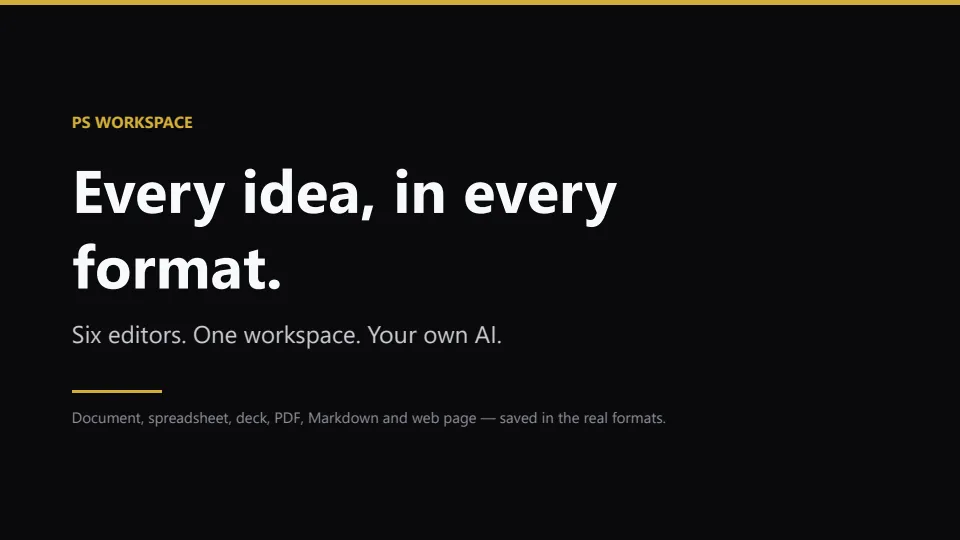
Slide reading Bring your own key, keep your files
What leaves the machine: only the content an AI request needs, to the endpoint you configured.
Installation help

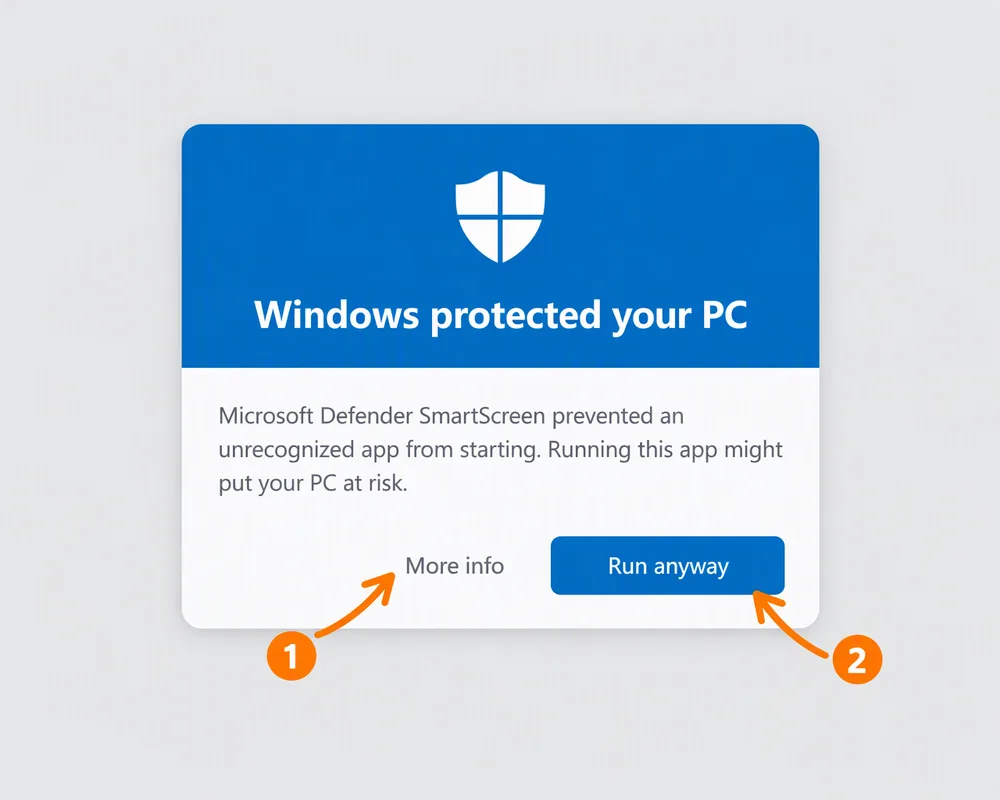
Seeing "Windows protected your PC"?

That blue SmartScreen prompt appears for every newly released independent app — it is a warning about the missing code-signing certificate, not a virus detection. Here is how to get past it.

Illustration of the Windows protected your PC dialog with More info and Run anyway highlighted
Run the downloaded setup fileDouble-click the PS Workspace setup from your Downloads folder.
Click "More info"On the blue window, click the small More info text under the message.
Click "Run anyway"A new Run anyway button appears at the bottom — press it and the installer continues.
Why this happens: I am an independent developer and have not bought a code-signing certificate yet, so Windows cannot verify the publisher. If you want proof, scan the installer with any antivirus you trust before running it — and please report anything odd through the Help button.
Community

Early supporters

People who joined the journey and sent feedback while PS Workspace was still being built.

Names are stored in this browser only (no server, no sign-up), so the list you see is the list on your own device.

Why free

Why is PS Workspace free?

Everyday office software should not require renting access to your own documents. PS Workspace is built by one independent developer who wants students, small shops and freelancers to write, compute and present without a paywall.

There is no account tier and no feature that needs a server, so nothing here can quietly become a subscription. If paid services like cloud sync ever arrive, they stay optional — the desktop app remains free and ad-free.

No subscriptionNo yearly fee, no trial countdown, no paywall.
No account requiredInstall it and start writing in seconds.
Local-firstYour documents stay on your own disk.
Compare

PS Workspace vs the alternatives

An honest comparison. Microsoft Office remains the most complete suite — I don't pretend otherwise. PS Workspace is the free, local-first option that also covers Markdown, HTML and bring-your-own-key AI.

Feature comparison at a glance. Competitor rows reflect their main paid and free plans, which change over time.
Feature PS Workspace Microsoft Office LibreOffice WPS Office
PriceFreePaid planFreeFree with ads
Account requiredNoneMicrosoft accountNoneOptional
DOCX / XLSX / PPTXYes, byte-preservingYes (native)Some lossYes
Markdown & HTML editorsYesNoNoNo
AI in the document17+ providers, your keyCopilot (paid)NoPaid add-on
PDF text editing + OCRYes, on-devicePaid tierPartlyPaid tier
Telemetry / update serverNoneYesOptionalYes
CLI & MCP server for agents29 toolsNoNoNo
Themes120 light & darkOffice themesBasicLimited
FAQ

Frequently asked questions

Is PS Workspace really free?

Yes — one install includes all six editors, the AI panel, Theme Studio, local search, PDF conversion and OCR, the CLI, the agent skill and the MCP server. No add-ons, no account tier, no ads.

Do I need an AI key to use it?

No. Every editor works without any AI at all. If you want it, add your own key for one of the 17 providers or any OpenAI-compatible endpoint — including a local model server. The key is sealed in the Windows credential vault and never appears in logs.

Will my Word, Excel and PowerPoint files still open in Office?

Yes. PS Workspace writes real OOXML and copies untouched parts byte-for-byte, so styles, comments, tracked changes, equations and content controls round-trip. Narration, timings and 3D models are stored the way PowerPoint stores them.

Does it work without internet?

Everything except an AI request. Rendering, OCR, conversion, indexing and export all run on this machine, and there is no update server phoning home.

Why does Windows SmartScreen warn me?

Because the installer is not code-signed yet, Windows cannot confirm who published it. Follow the installation help above, and scan the file with your own antivirus first if you want independent confirmation.

Which Windows versions are supported?

64-bit Windows — the current build is v0.12.0 for Windows x64. The screenshots on this page come from that shipped build.

How do I report a bug or ask for a feature?

Use the button in the header. Every message lands with me and I read all of them — that is how most of the feature list got built.

One install. Six editors. Zero accounts.

Open a file, edit it with the model you trust, save it in the format it arrived in — and keep it on your disk.

Release
PS Workspace 0.12.0
Formats
DOCX · XLSX · PPTX · PDF · MD · HTML
Platform
Windows x64
Accounts
None required
PS Workspace Slides editor with a deck open and the assistant panel
Portrait of Pratyush Kumar Pradhan, developer of PS Workspace

Pratyush Kumar Pradhan

Independent developer · Builder of PS Workspace

Hi! I'm a 16-year-old developer and I built this because I got tired of renting access to my own documents. The project is still growing, so you may find rough edges. If something breaks or you have an idea, send it through the Help form — I fix things based on what people actually ask for.

Contact

One place to ask anything

Bugs, missing features, translation help or a file that will not open — send it here and it reaches me directly.